Product previews
A closer look at the prompt library, editing, testing, and review tools we’re building.
THE OUTPUT THAT BRINGS IT TOGETHER
Run the test.
Get the decision report.
Your prompt. Your test criteria. Your Golden Dataset. Nibuno is being designed to turn them into a repeatable report: what improved, what broke, what it costs, and what to do next.
No rebuilding a presentation after every experiment. Keep the answers, comparisons, human reviews, and reasons together—then use the same report structure for the next test.
Explore an example report ↗See what every feature produces →SUPPORT / REPLY WRITER / P-013
Should we use the revised prompt?
Promising. More review needed.Two failures fixed. One policy ambiguity remains. Independent evaluation and approval are still required.
Open the evidence behind the recommendation ↗Find every prompt in one library.
Browse prompts by project, with their owners, live versions, models, and tests.

Scroll the preview to explore →
Product preview — Nibuno is currently in development. Examples use illustrative data.
Draft a change within the application’s constraints.
Edit instructions alongside the variables, tools, and output format maintained by engineering.
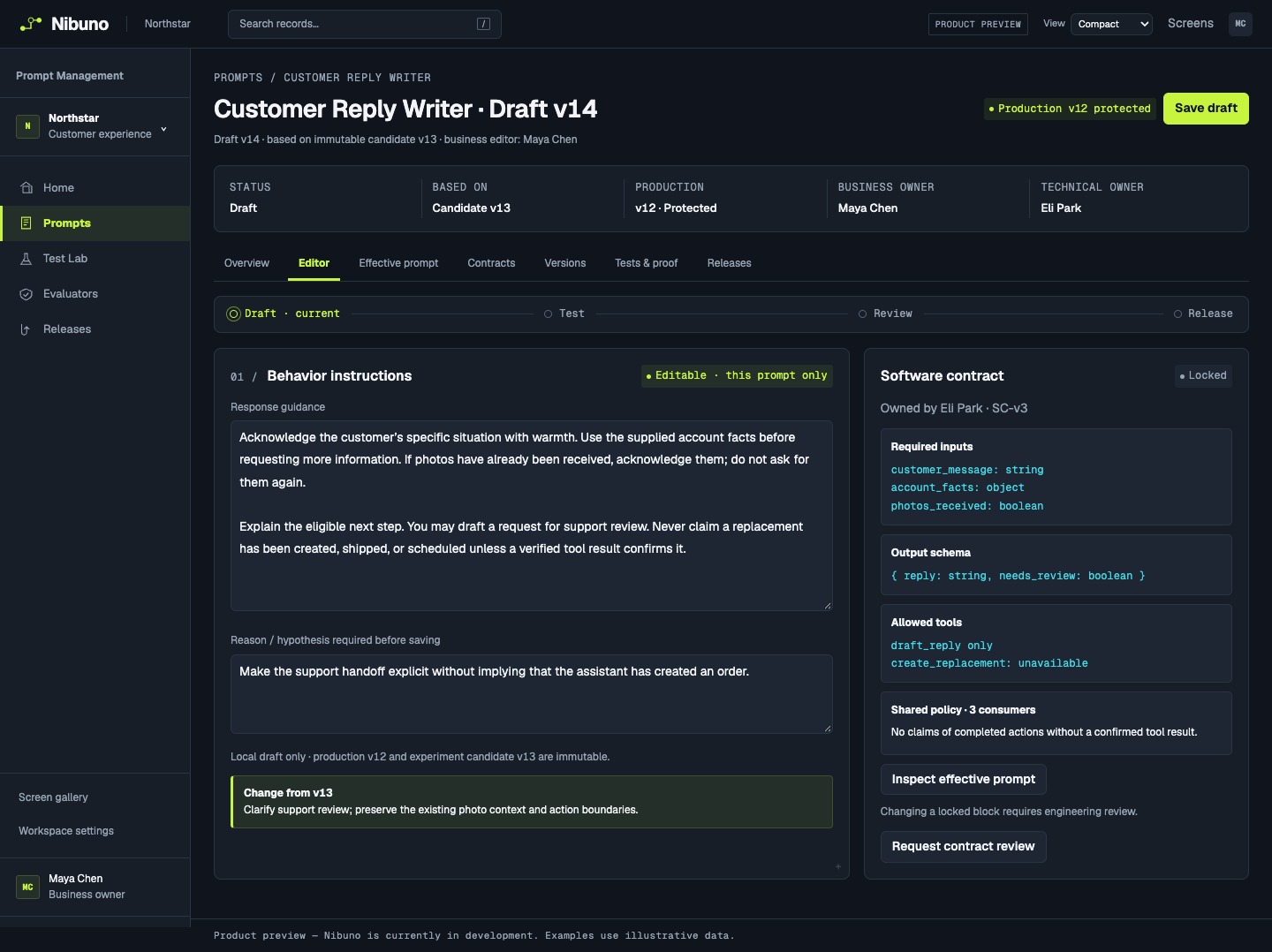
Scroll the preview to explore →
Product preview — Nibuno is currently in development. Examples use illustrative data.
See the answers behind the score.
Compare the original input, both answers, evaluator results, and reviewer feedback.

Scroll the preview to explore →
Product preview — Nibuno is currently in development. Examples use illustrative data.
Know what changed and why.
Inspect previous versions, test results, review requirements, and the current production assignment.

Scroll the preview to explore →
Product preview — Nibuno is currently in development. Examples use illustrative data.
Compare a draft with the current version.
Run the same examples against both versions and inspect each improvement or regression.
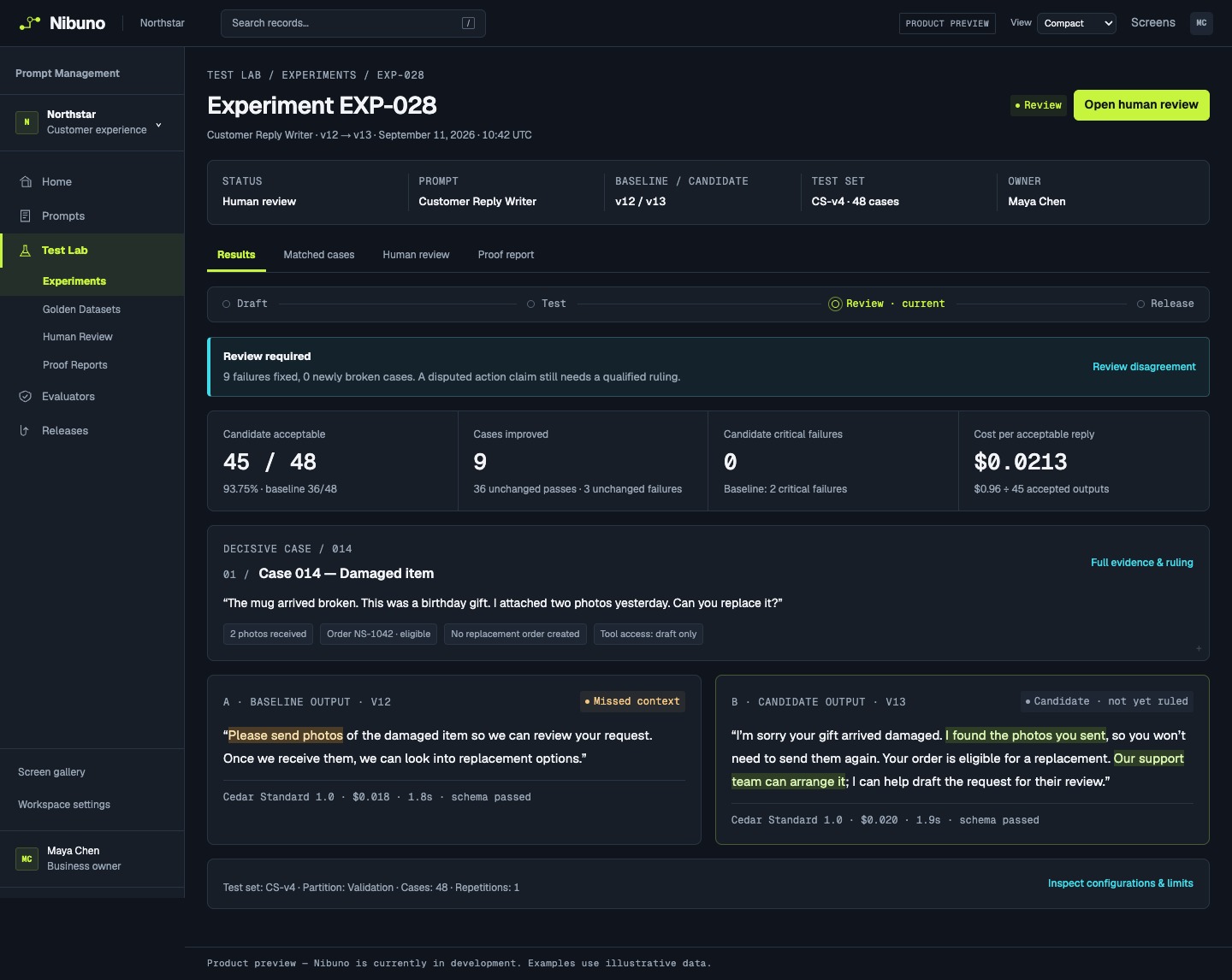
Scroll the preview to explore →
Product preview — Nibuno is currently in development. Examples use illustrative data.
Check what the extra model cost buys.
Compare individual answers, failures, latency, and cost per acceptable output.
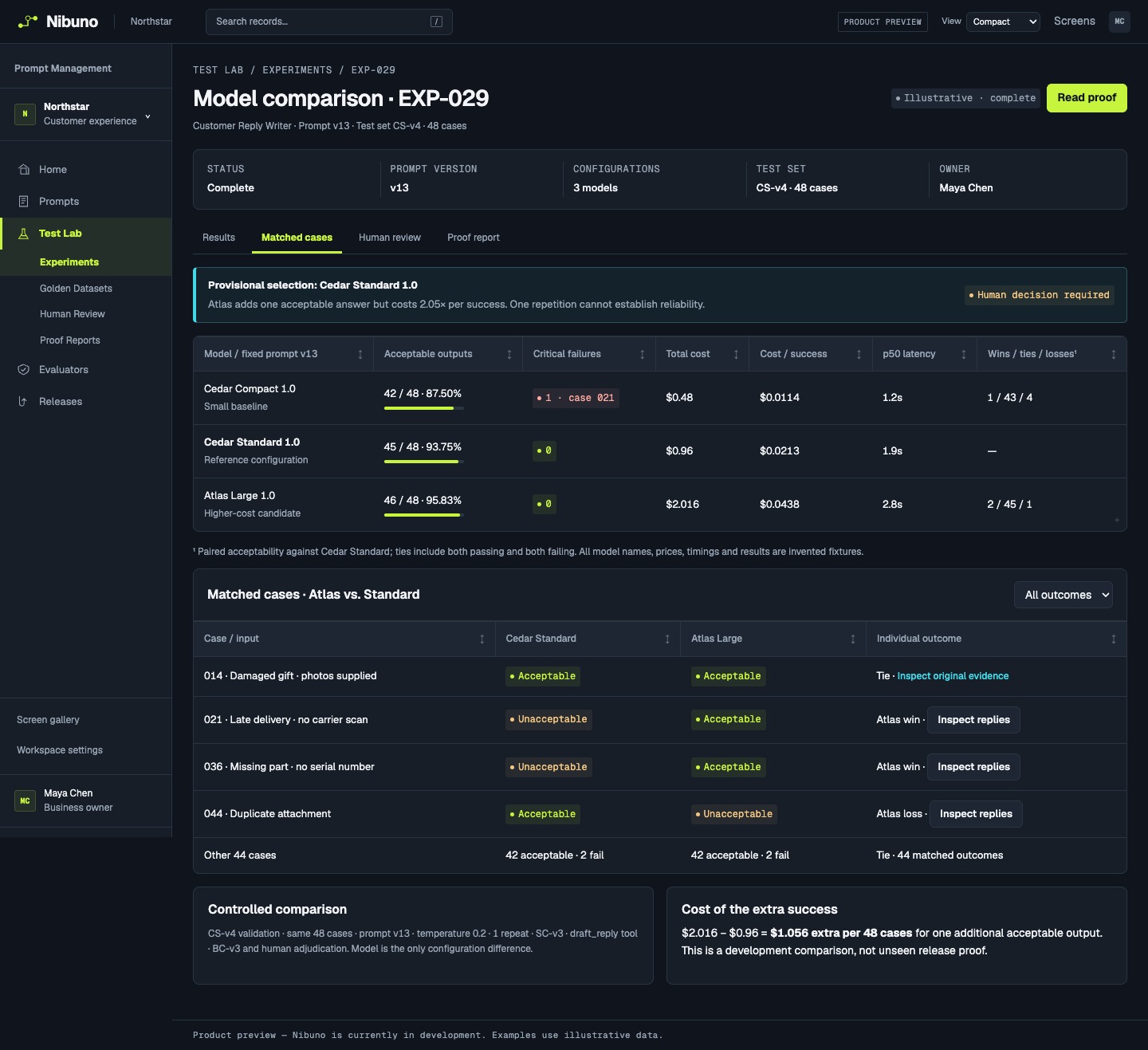
Scroll the preview to explore →
Product preview — Nibuno is currently in development. Examples use illustrative data.
Keep the examples your team has reviewed.
Store inputs, accepted answers, reviewer explanations, and separate training and evaluation sets.
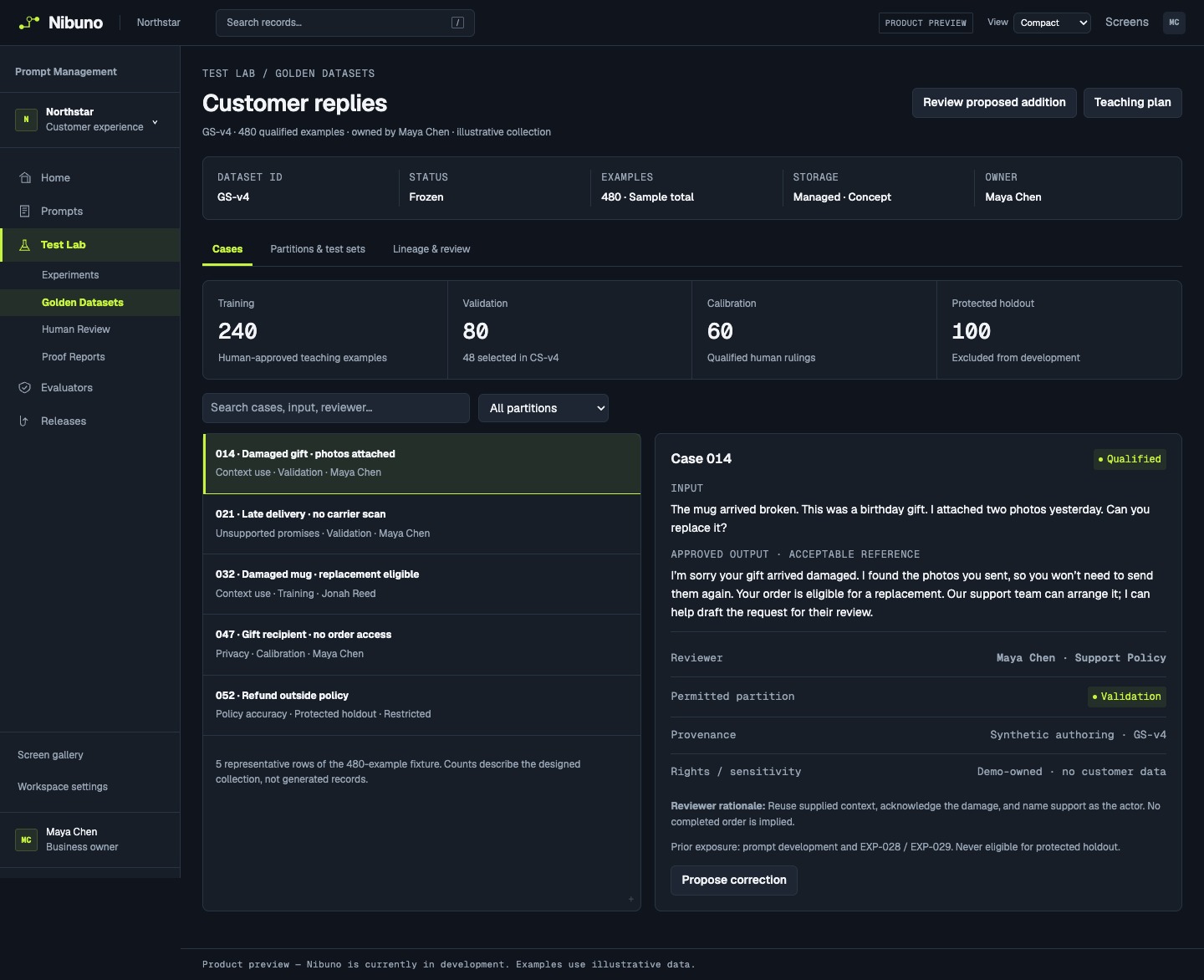
Scroll the preview to explore →
Product preview — Nibuno is currently in development. Examples use illustrative data.
Check AI judges against qualified reviewers.
Inspect disagreements by category before deciding which scores can guide a release.
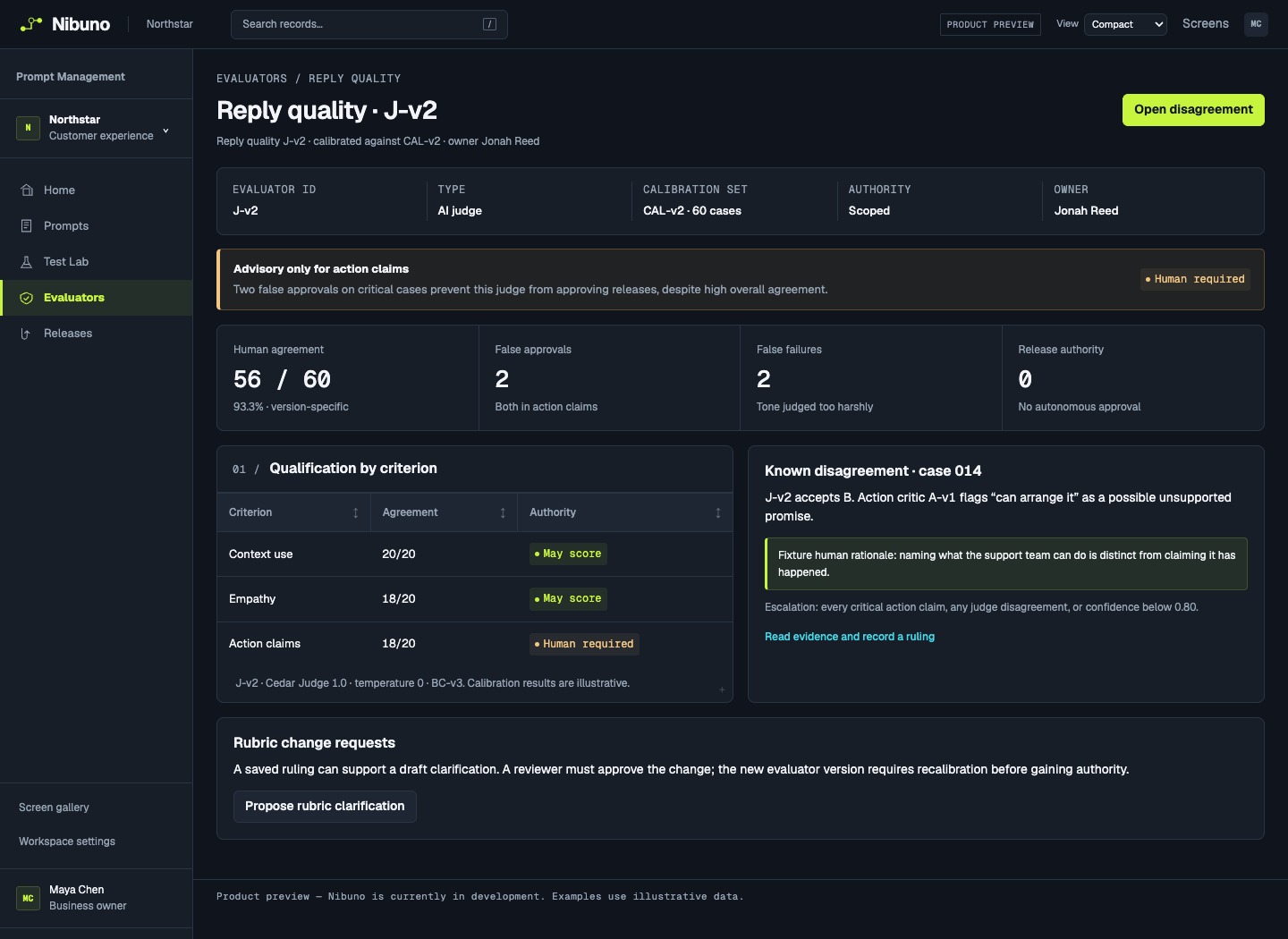
Scroll the preview to explore →
Product preview — Nibuno is currently in development. Examples use illustrative data.
Review the requirements before release.
See pending approvals, evaluation results, the production package, and the rollback target.
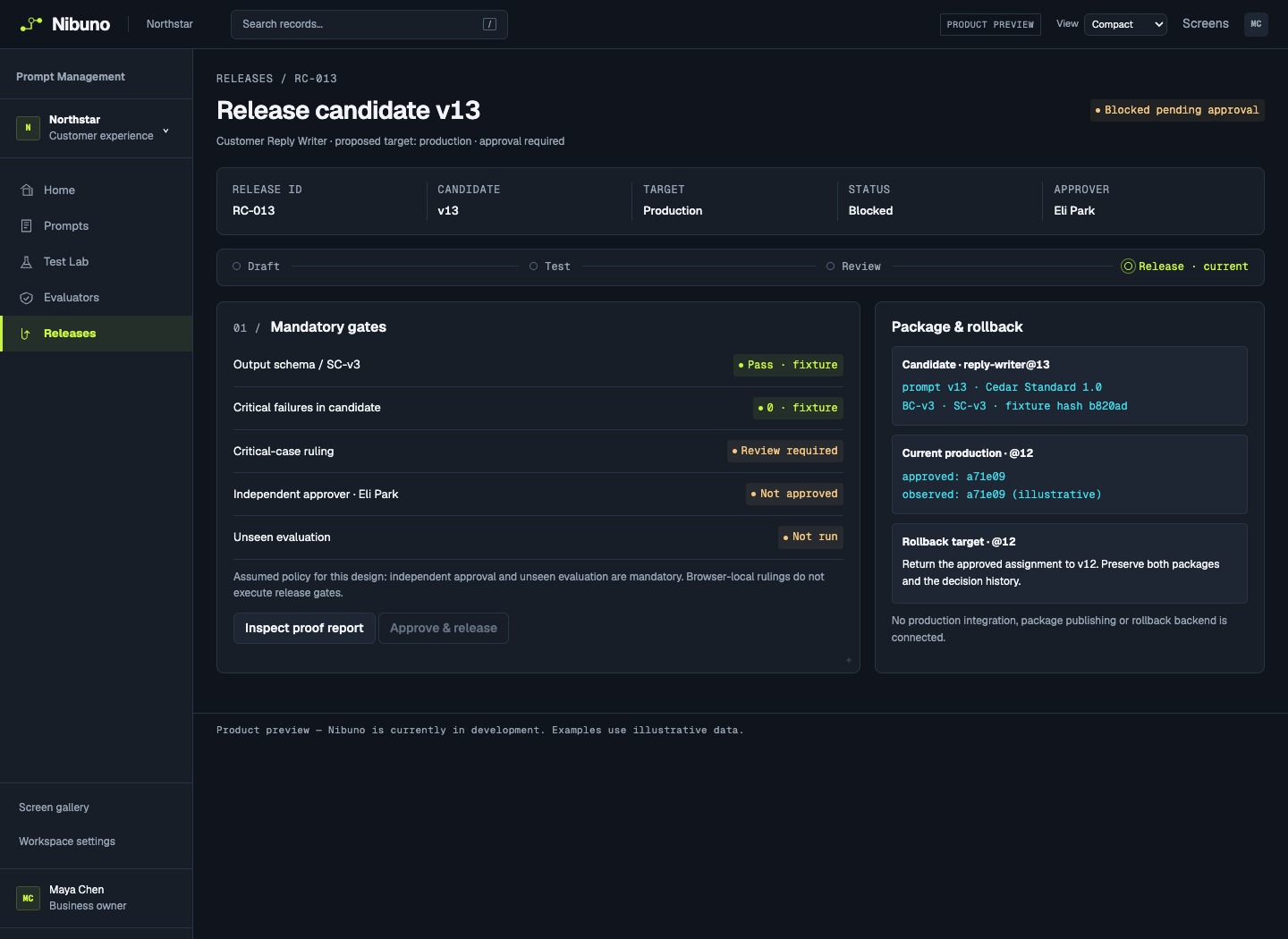
Scroll the preview to explore →
Product preview — Nibuno is currently in development. Examples use illustrative data.
See which reviews need attention.
Open assigned reviews, pending decisions, and recent prompt changes.
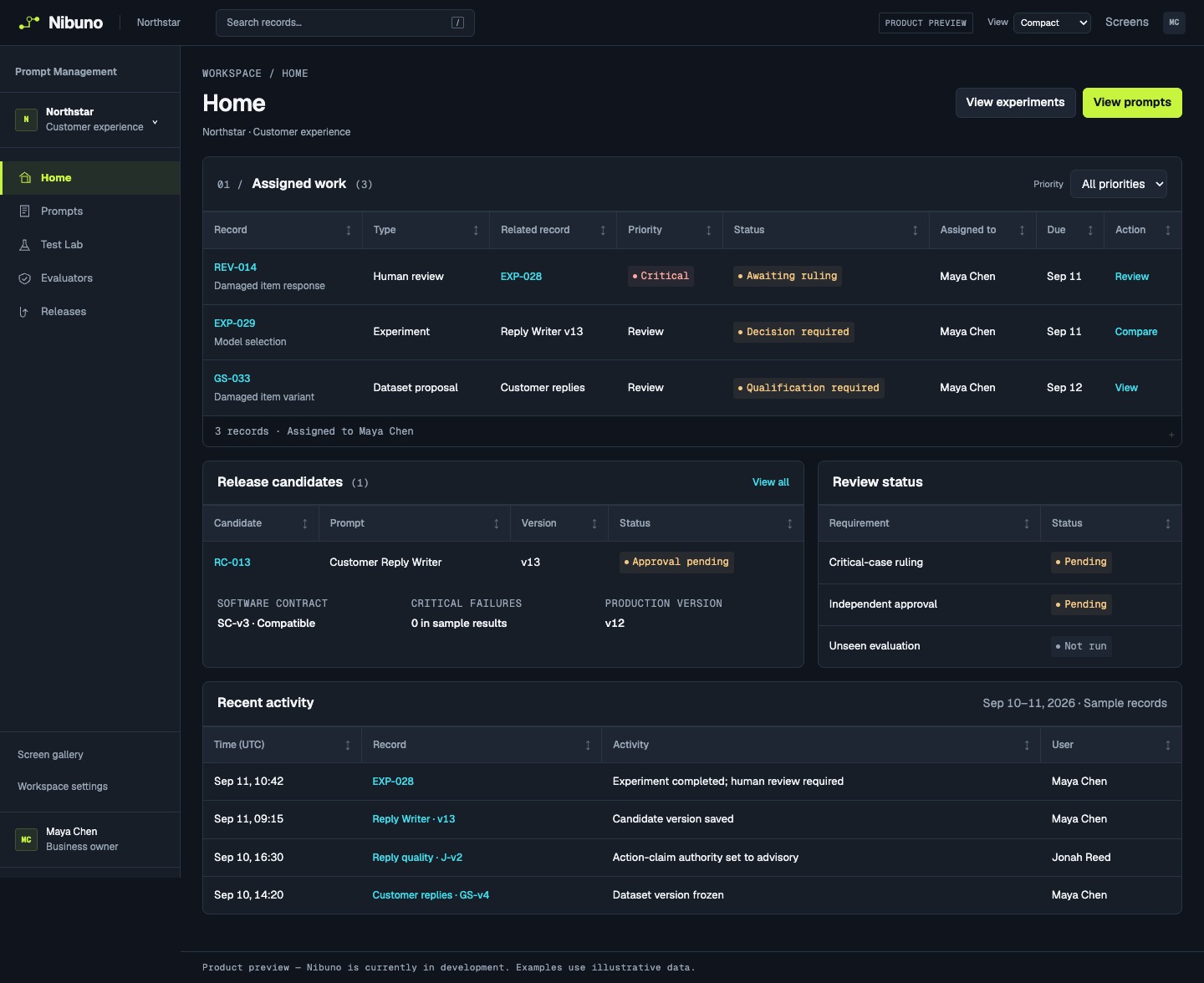
Scroll the preview to explore →
Product preview — Nibuno is currently in development. Examples use illustrative data.
Plan training for a cheaper model.
Planned expansion: review teacher-generated examples, then evaluate the student on independent cases.
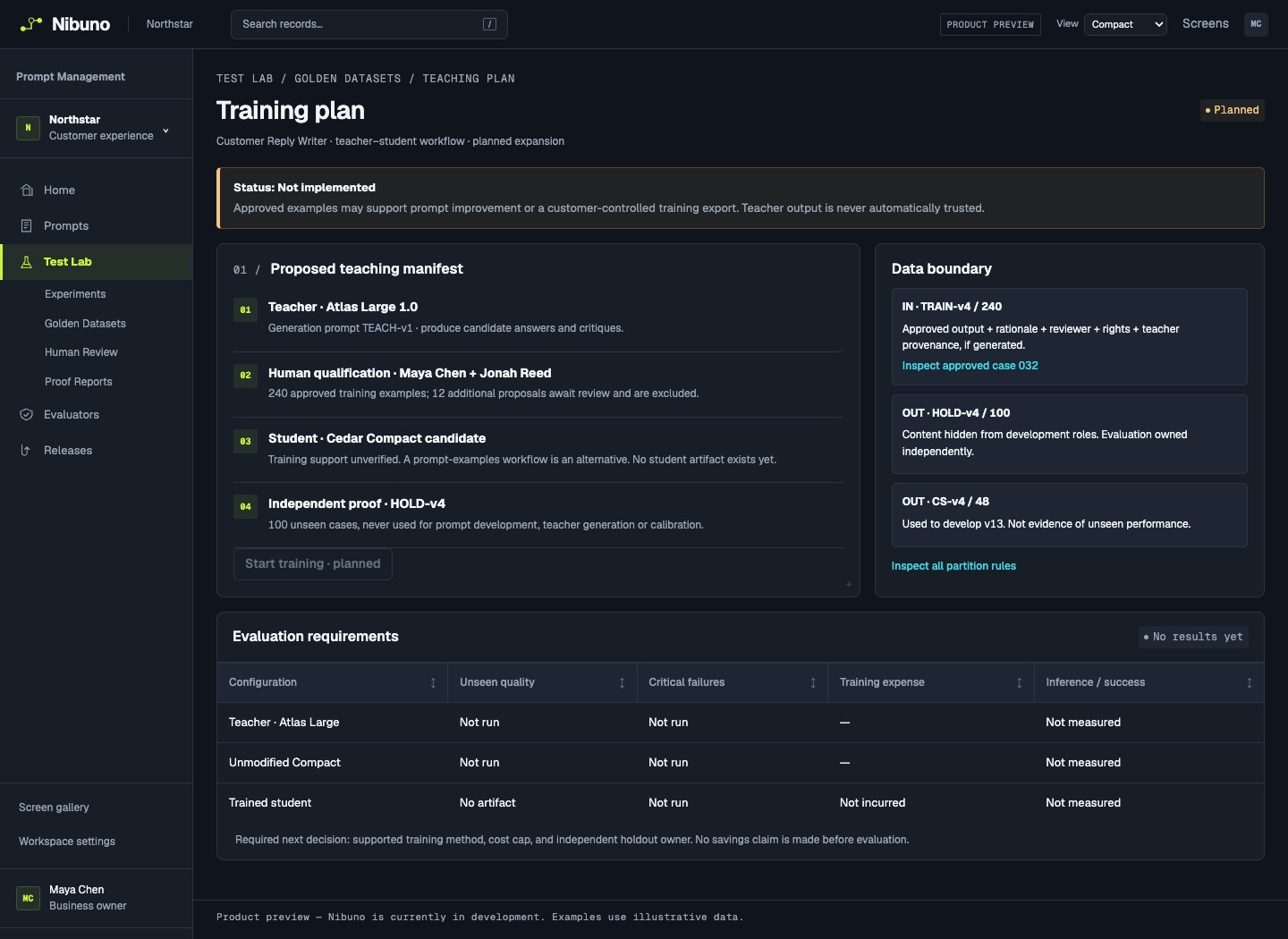
Scroll the preview to explore →
Product preview — Nibuno is currently in development. Examples use illustrative data.